Can’t Verify Site Remotely
Check plot shape and surroundings on Google Earth.
Floor-plan drawing, 8 to 64-zone analysis, 45 Devta mapping, Astro-Vastu and editable branded reports in one workspace. Deliver a client-ready report in about 45 minutes.
Software and reports in Hindi & English, with support
CA Vastu Software combines Vastu planning, floor plan analysis, Astro-Vastu insights, Medical Vastu (traditional guidance, not medical advice), report generation and remedy management in one professional workspace.
Six bottlenecks that slow down a professional Vastu consultation — and how Vastu Software removes each one.

Check plot shape and surroundings on Google Earth.
See the client's chart and zones together.
Generate the full report in one click, then edit it in Word.
Remedies and mantras appear with each dosha.
Draw or edit the plan yourself in minutes.
Your logo, your colours, your recommendations.
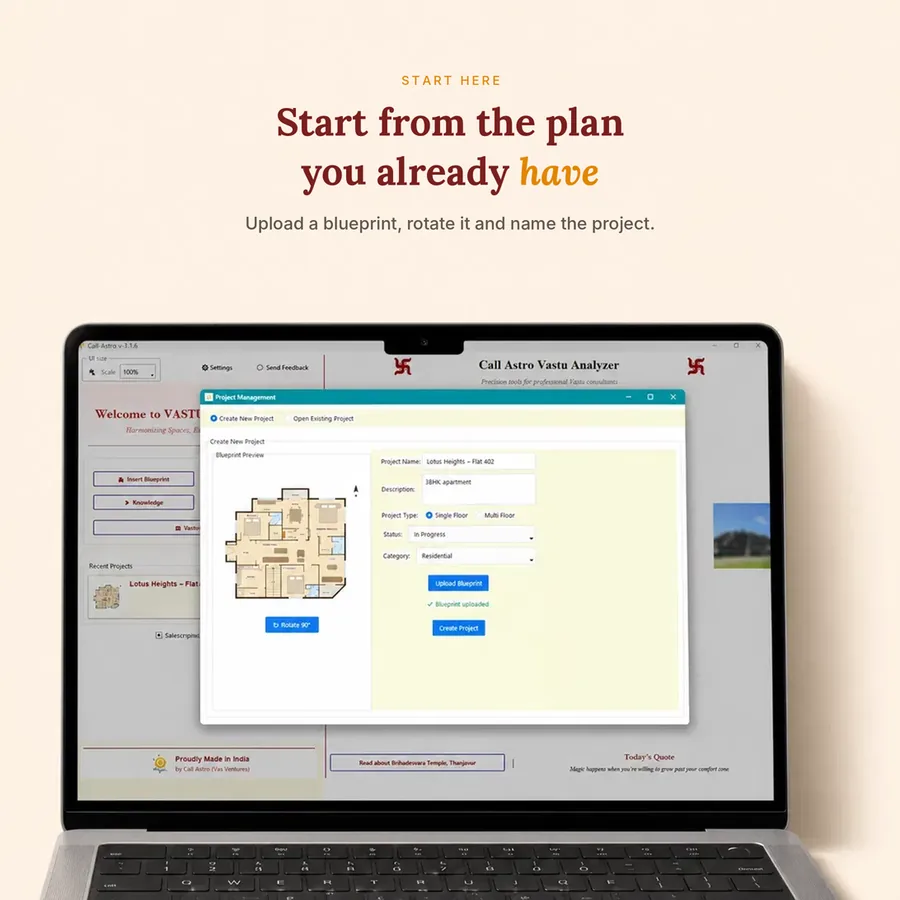
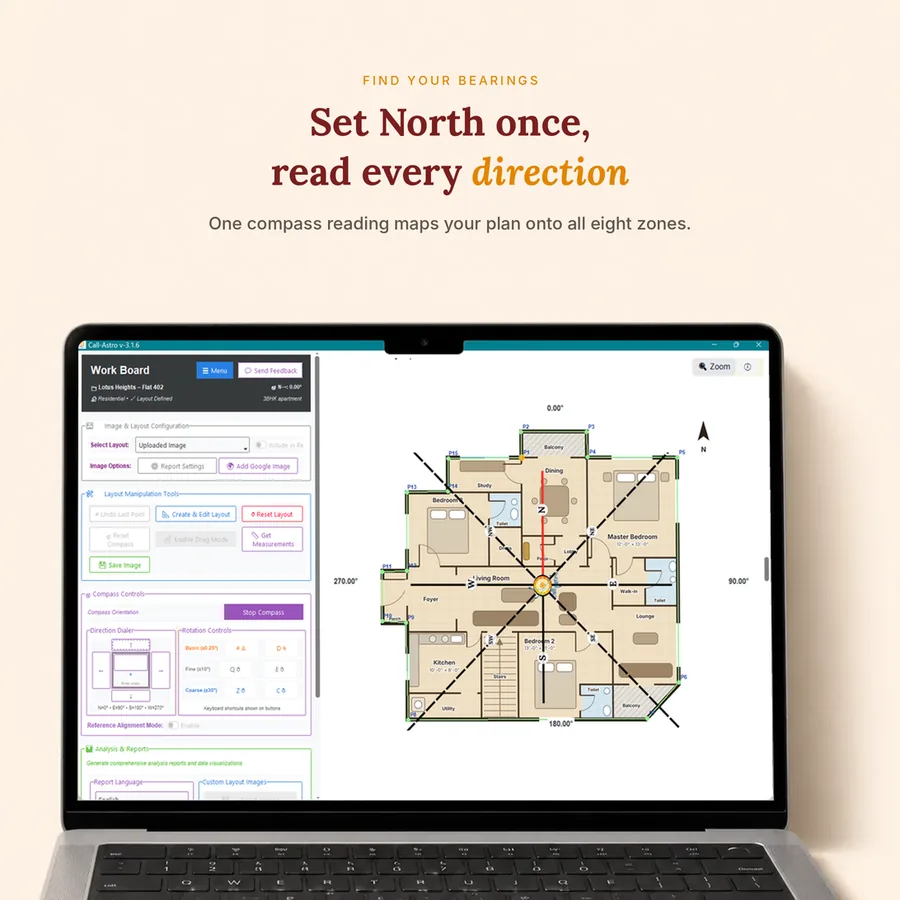
Sketch the plan to scale, or upload a JPG/PNG plan and trace over it.
Brahma Bindu is found automatically — even for irregular plots.
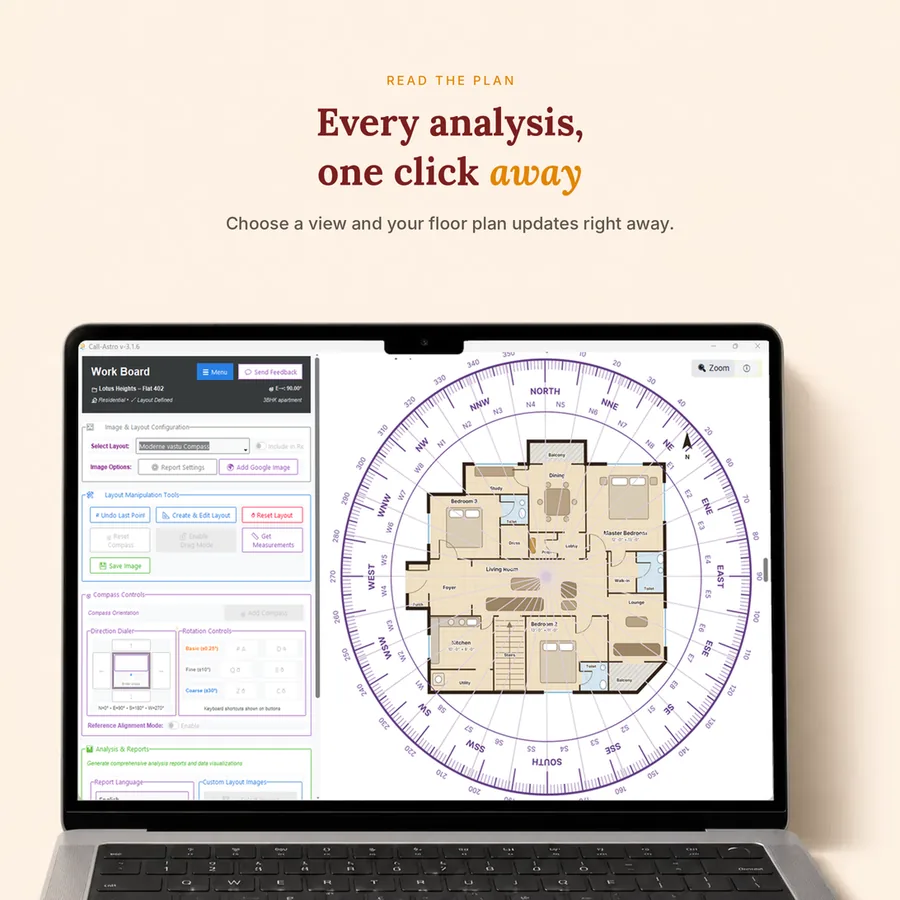
Zones, Devtas, Shakti Chakra, Panch Tatva, Astro-Vastu and Medical Vastu.
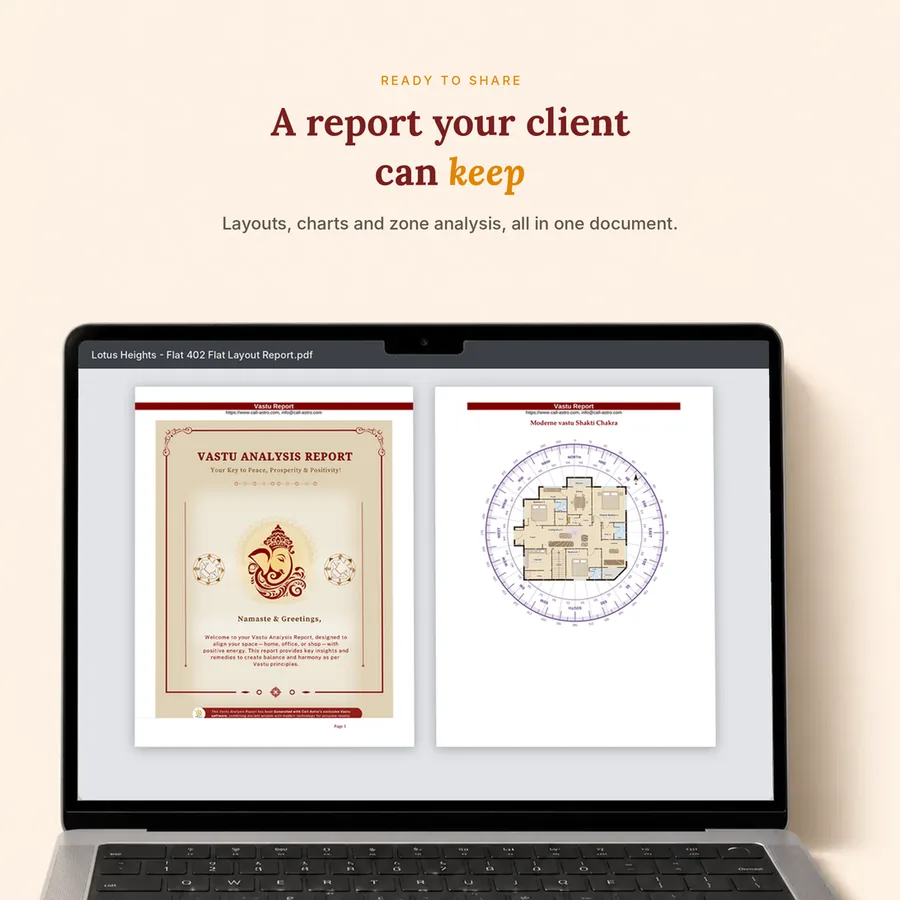
Export an editable Word (Pro) or PDF report with your logo and colours.
Draw the plan, check the site and send a branded report in about 45 minutes.
See howCheck zones while you design, before the plan is final.
See howPlace kitchens, beds, mandirs and colours in the right zones.
See howCheck layouts before launch and show buyers a Vastu report.
See howWhat you get in one workspace, compared with what most Vastu software offers today.
“Pocket friendly and amazing software. I have been in this field for 7 years and used many softwares as well, but they were quite difficult to use as I am not a very technology friendly person. But after using CA Vastu Software I can say it is easy to use, covering everything we as Vastu consultants use. Great work!”
Start with the 3-day trial or pick a yearly plan. Every price is shown + 18% GST, with the total under it. All plans include updates and support during the plan period.
Total ₹234.82 incl. 18% GST
Get all Pro plan features for 3 days without restrictions.
Total ₹8,258.82 incl. 18% GST
1 year plan for Basic Vastu Software provides quick identification of Brahma Bindu, placement of Mahavastu-ShaktiChakra, 16/32 zone analysis and their Bar-chart.
Total ₹17,698.82 incl. 18% GST
Comprehensive tool for Vastu analysis and recommendations.
All prices + 18% GST — the total including GST is shown under each price. GST invoice with every purchase.
CA Vastu Software is a complete digital workspace for Vastu consultants. You can create floor plans, run zone and Astro-Vastu analysis, find remedies and generate branded client reports — all in one place.
Yes. CA Vastu Software is desktop software that runs on both Windows and Mac computers.
Yes. CA Vastu Software is desktop software that you download and install on your Windows or Mac computer. Choose a plan, and you get your access and download details right after the payment. How the download works.
Yes. You can draw a new floor plan directly inside the software or import an existing layout, so you don’t have to wait for draftsmen or use any third-party drawing software.
Google Earth integration lets you view the actual site imagery while analysing a property, which helps you verify the site remotely before or during a consultation.
Yes, with the Pro plan. Reports are generated as fully editable Word documents, so you can change the content and add your own branding before sharing them with your client. The Basic plan gives a standard PDF report.
The software includes 8, 16, 32 and 64 zone analysis, Brahma Bindu detection, Mahavastu and Vedic Shakti Chakra, Panch Tatva, Tridosha and Triguna, 64 and 81 Pada Vinyas, Nakshatra Vastu, Astro-Vastu and Medical Vastu tools, along with a 45 Devta remedies database. Available features depend on the plan you choose. Medical Vastu is traditional guidance, not medical advice.
Yes. The 3-day trial costs ₹199 + GST. Get all Pro plan features for 3 days without restrictions, so you can explore the software before choosing a yearly plan.
Vastu Software plans start at ₹6,999 + GST per year (Basic – 1 Year ₹6,999, Pro – 1 Year ₹14,999, + 18% GST). You can also start with the 3-day trial for ₹199 + GST. A GST invoice comes with every purchase.
You get instant access after purchase. Set up your account, install the software and start creating floor plans and reports right away.
Yes. Projects stay in your account and on your device, and we never share client plans.
Refunds follow our Refund Policy, which explains when and how you can ask for one.
Draw the plan, run the analysis and send a branded report — all from one workspace.
More features. Deeper insights. A smoother consultation workflow.