Vastu Report Software: Branded, Editable Reports

Generate the full client report in one click — zone maps, charts, doshas, remedies and colour suggestions — then add your logo, colours, signature and notes in Word before you send it.

  • Windows & Mac desktop software
  • Instant access after checkout
  • GST invoice with every plan
Vastu report software generating a branded Vastu report from a floor plan
Vastu Report Software

Client reports in minutes, not days

For most consultants the report takes longer than the analysis. Screenshots are copied into a document, remedies are typed out again for every client, and the result still looks like everyone else’s.

CA Vastu Software builds the report from the analysis you have already done. Every zone map, chart and remedy goes into one document, laid out the same way every time, and you can edit any part of it before sending. In the Pro plan the report carries your branding and opens in Word.

What is inside a sample Vastu report

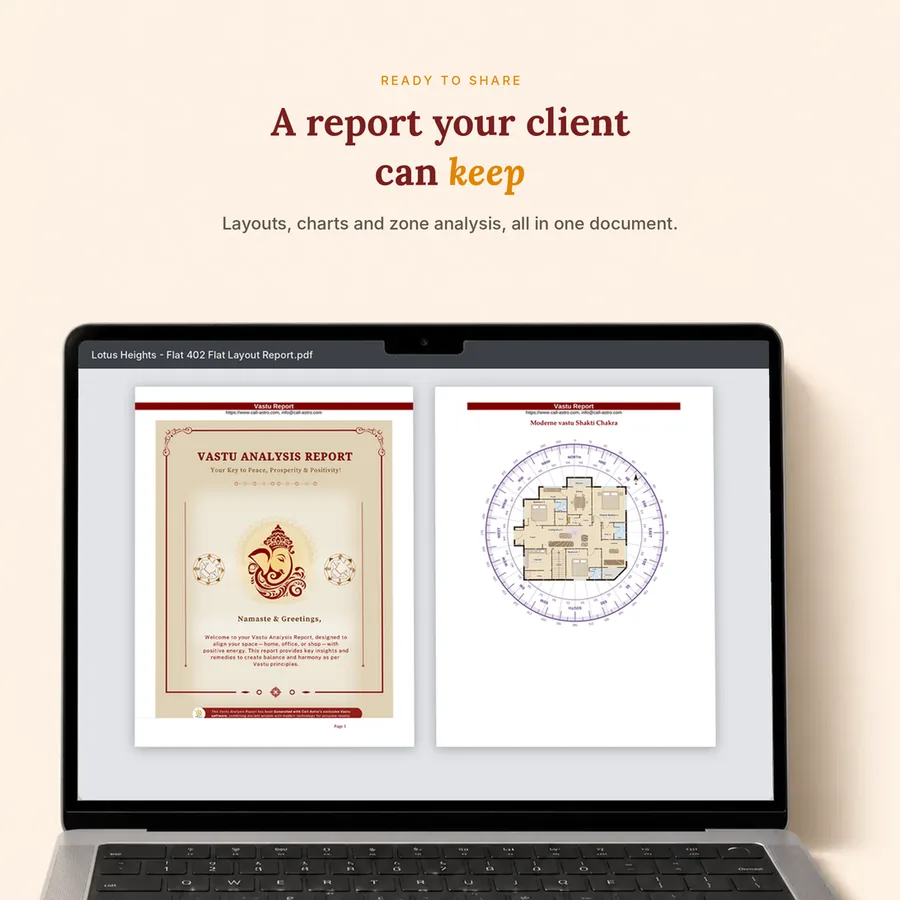
The sample report was made from a real apartment plan. These are the sections a client receives — every one can be edited before you send it.

  • Cover page with your branding
  • Floor plan with the 16-zone grid
  • Zone-strength bar chart and missing/extended corners
  • 45 Devta map
  • Dosha list with remedies and mantras
  • Colour chart by zone
  • Brahmasthan notes
  • Astro-Vastu summary (Pro)
  • Your notes and signature

Basic and Pro reports

The Basic – 1 Year plan gives a standard PDF report. The Pro – 1 Year plan gives a branded report you can edit in Word and export to PDF, with your logo, colours and signature. The trial unlocks the Pro report so you can see it with your own plan.

Why the report matters

The report is what the client keeps, shares with family and remembers you by. A clear, consistent report with your name on it makes your advice easier to follow and makes it more likely that the client comes back — or sends someone else.

How it works

From floor plan to answer in four steps

  1. 1

    Analyse

    Run the zones, Devtas and remedies on the plan.

  2. 2

    Generate

    Create the full report in one click.

  3. 3

    Edit

    Add notes, logo and signature in Word (Pro).

  4. 4

    Send

    Export to Word or PDF and share with the client.

Which plan

Which plan do you need?

Branded, editable Word reports are part of Pro – 1 Year. Basic – 1 Year gives a standard PDF report. The trial unlocks the Pro report so you can try it first.

Not sure yet? Get all Pro plan features for 3 days without restrictions — ₹199 + GST. Start the trial

Instant access after checkout — no WhatsApp screenshots, no waiting.

Recommended

Pro – 1 Year

₹14,999 + GST / year

Total ₹17,698.82 incl. GST

  • 64-zone analysis
  • Astro-Vastu (D1 chart & Mahadasha)
  • Medical Vastu
  • Google Earth site check
  • Branded, editable Word reports
Choose this plan Compare all plans
FAQ

Vastu Report Software — FAQs

Can I see a sample Vastu report before buying?

Yes. Open the sample report on this page — it was generated from a real apartment plan.

Can I edit the report?

Yes. In the Pro plan the report opens in Word, so you can change any text, remove sections or add notes before sending.

Can I add my own logo?

Yes. Pro reports carry your logo, colours and signature.

Which formats can I export?

Pro exports to Word and PDF. Basic gives a standard PDF report.

How long does a full report take?

About 45 minutes for a full client report, including drawing the plan and the analysis.

Try it on your own floor plan

The 3-day trial unlocks every Pro feature. Instant access on Windows and Mac.